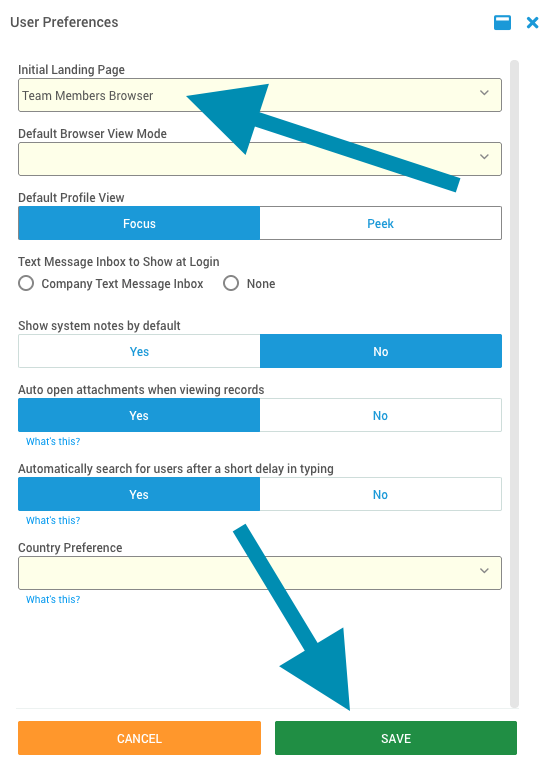
DriverHub allows each user to customize the first page they see when logging into the system. This feature lets you set your Initial Landing Page based on your daily workflow preferences, whether that’s the Dashboard, Candidates, Compliance, or another frequently used section.
Video Walkthrough
Step-by-Step Instructions
-
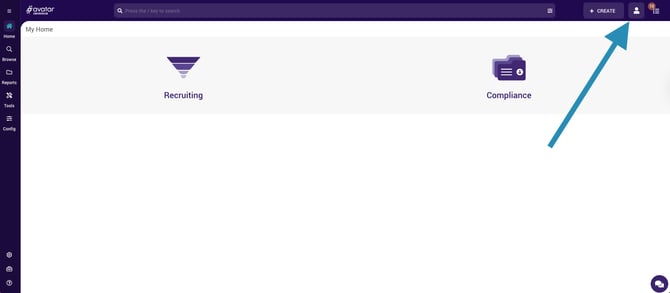
Click the User Icon in the top right hand corner of DriverHub.
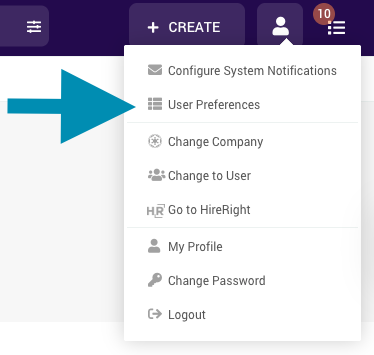
- Select User Preferences.
- Choose your Initial Landing Page from the dropdown menu to set which page you want to display each time you log into DriverHub, then click Save.