
You may need to delete users from your Training Marketplace portal from time to time. Deleting a user permanently removes them from your portal and reduces your total user count. Simply disabling a login does not reduce your user count, so deleting is the correct option when someone has left your company.
How to Delete a User
-
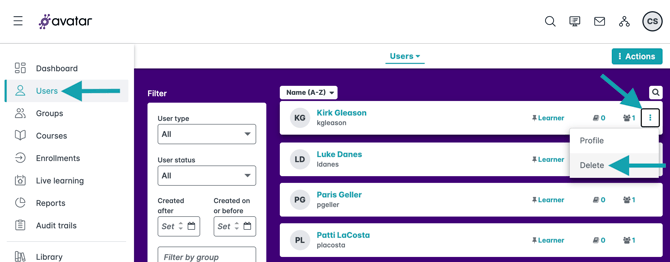
From the dashboard, click Users in the navigation menu.
-
Locate the user you want to delete.
-
Click the three dots on the far right, then click Delete.
-
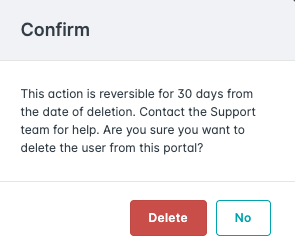
Confirm the deletion when prompted.
You can also delete a user from inside their profile:
-
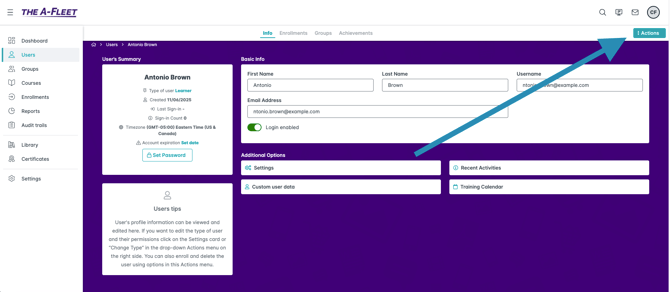
Click the user’s name to open their profile.
-
Click Actions, then select Delete.
-
Confirm the deletion.