<img height="1" width="1" src="https://www.facebook.com/tr?id=737313050390762&amp;ev=PageView &amp;noscript=1">
Skip to content
  • There are no suggestions because the search field is empty.

Download Previous Employer Verification (PEV) Consents in DriverHub

Download PEV consent forms directly from the candidate’s application.

DriverHub allows you to download a candidate’s Previous Employer Verification (PEV) consents from the Application Workflow. The download will include a .zip file with the PEV Consents

Step-by-Step Instructions

Access the Candidate

  • Navigate to the candidate profile whose PEV consent you want to download.

  • Open the Applications tab.

Download Previous Employer Verification Consents

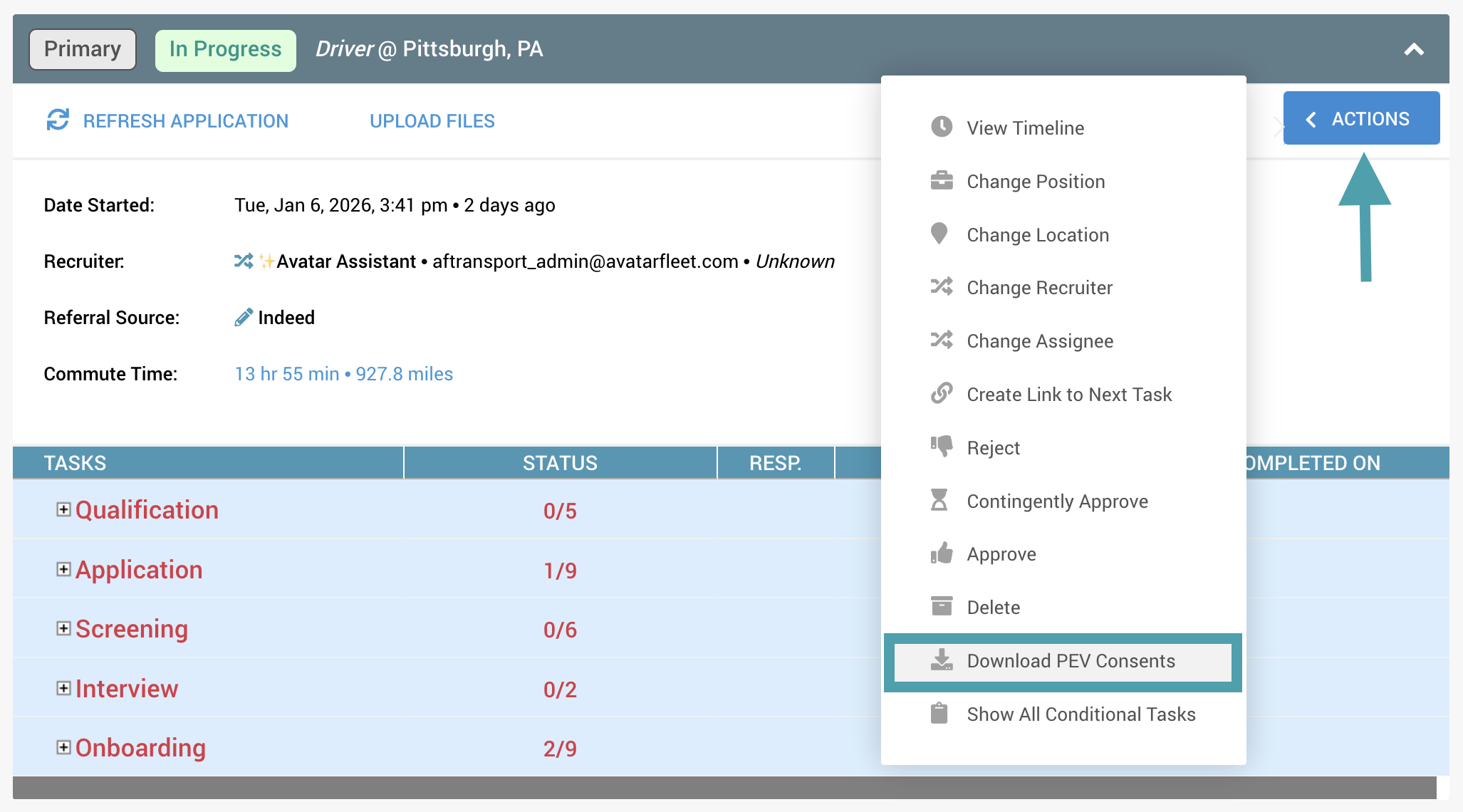
  • In the upper-right corner of the Application Workflow, click the Actions button.

  • From the menu, select Download PEV Consents.

  • The PEV consent file will download to your device.