
Table of Contents
What it Does
Create an Incident
Set Up an Insurance Company
Send to Insurance Company
Create Incidents Via Mobile
Advanced Analytics
Bulk Import
Watch Incident Management Webinar
What it Does
Incident Management consolidates all vehicle incident-related data into a single system that:
- Send to Insurance Company: Send First Notice of Loss (FNOL) directly to the insurance company
- Mobile Triage: Create and manage incidents from anywhere using Avatar's mobile-optimized interface for Incidents
- Samsara Integration: Integrates with Samsara to associate incidents to the correct vehicle and trailer
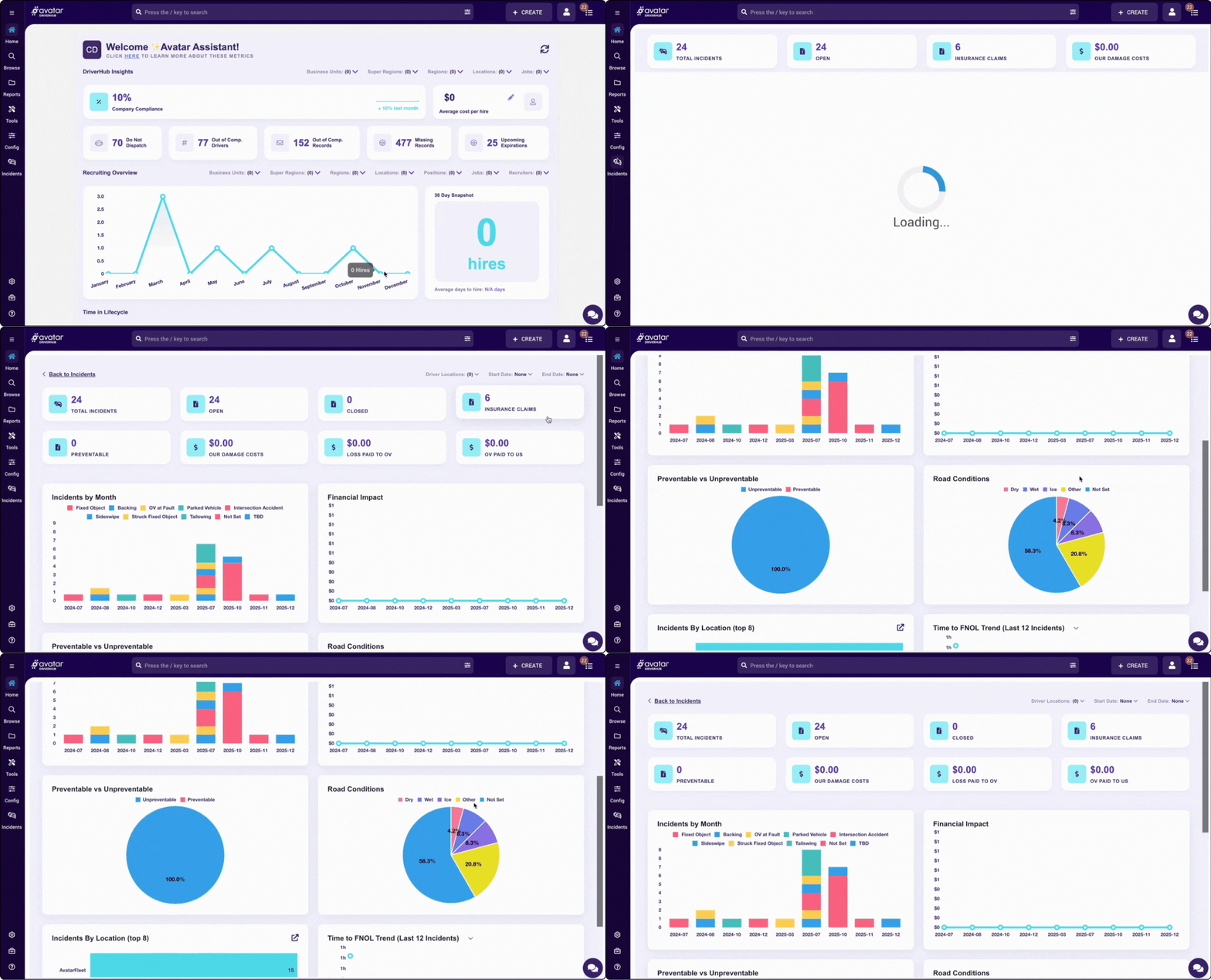
- Advanced Analytics: Robust reports that highlight trends, costs, and high-risk areas to drive safety improvements
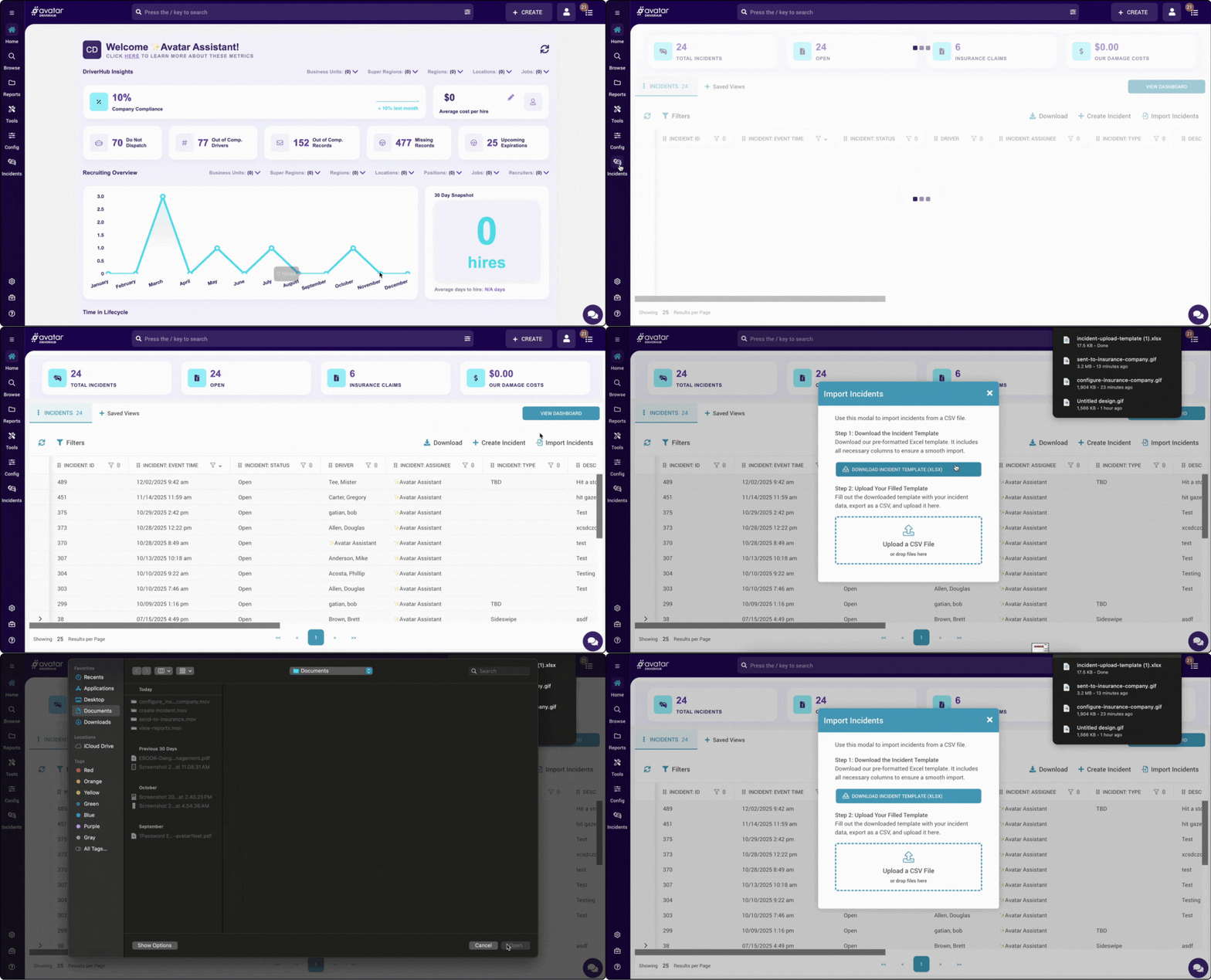
- Bulk Import: Upload historical incident data to preserve your records and enable trend analysis.
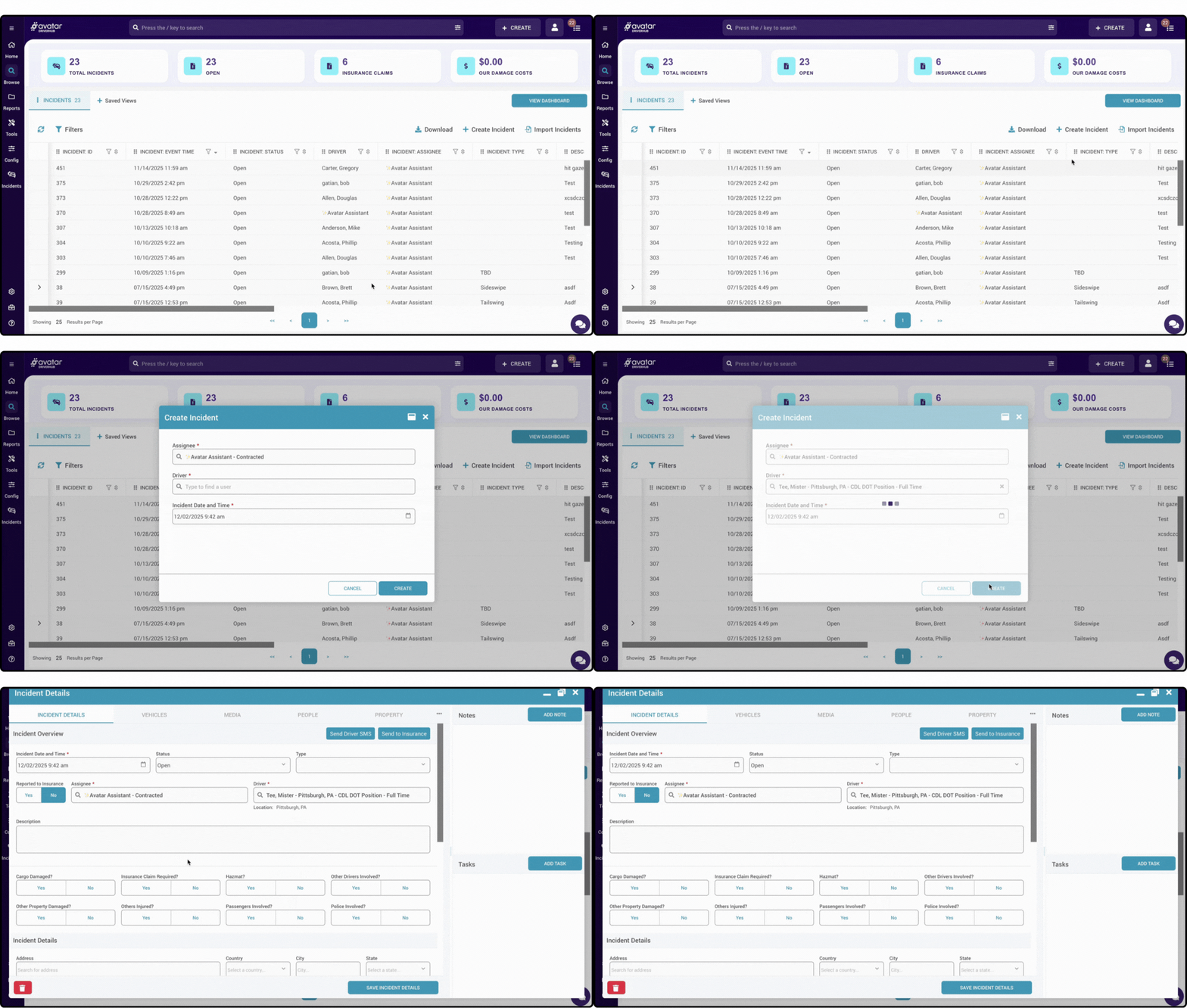
Create an Incident
Create a new incident by capturing key details, photos, and involved parties.
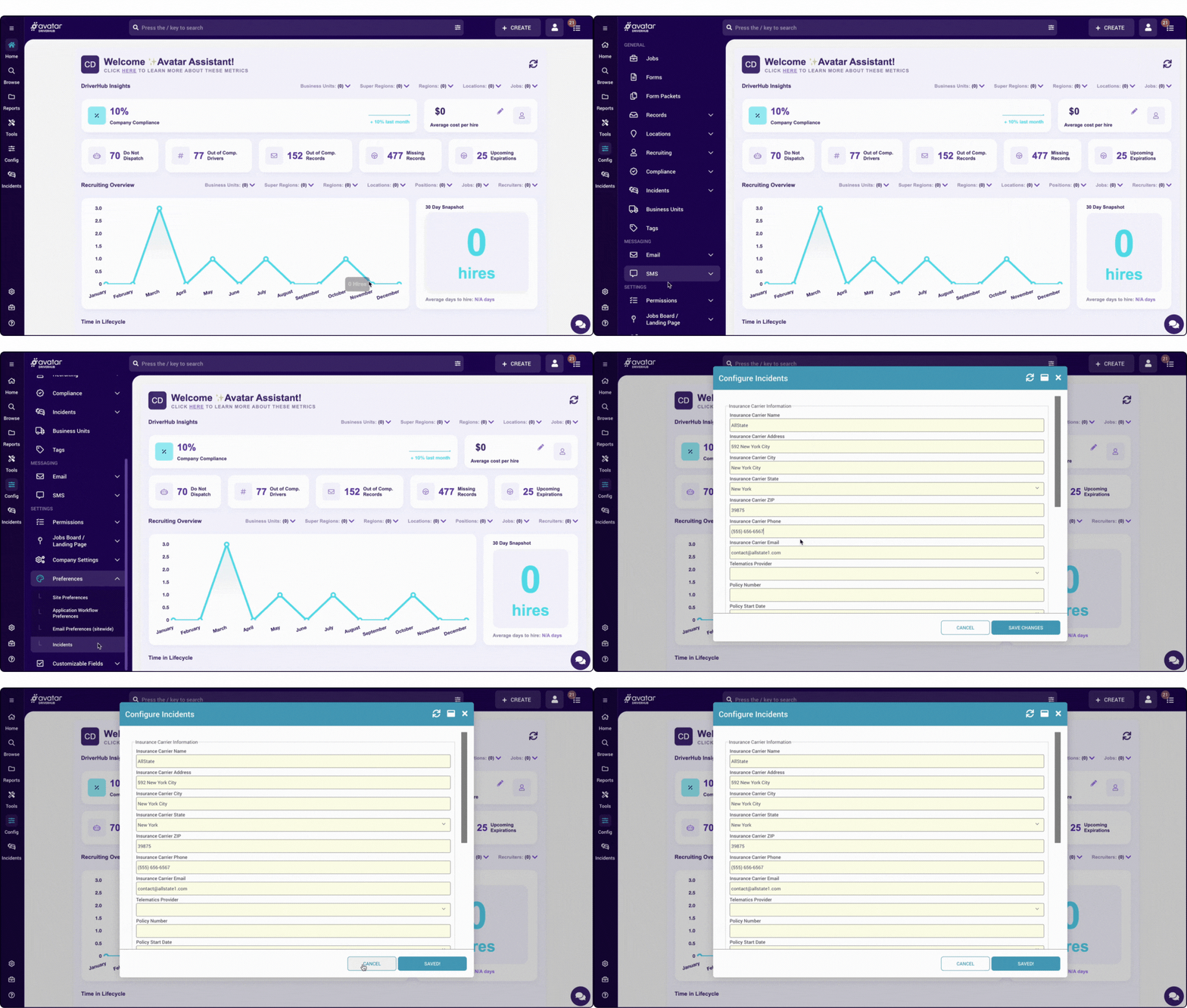
Set Up an Insurance Company
Add insurance carriers and their contact information for incident claims processing.
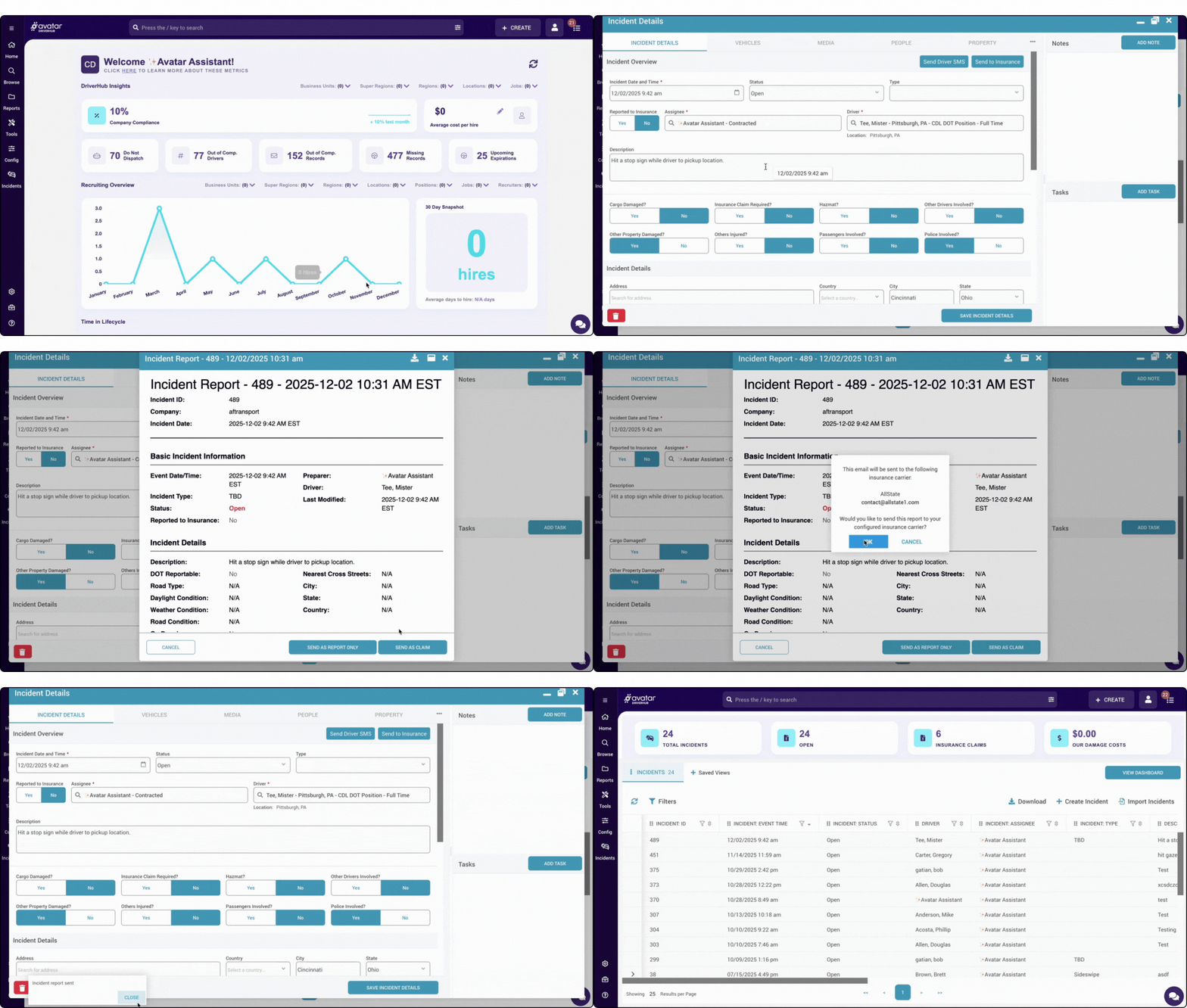
Send to Insurance Company
Send First Notice of Loss (FNOL) directly to the insurance company.
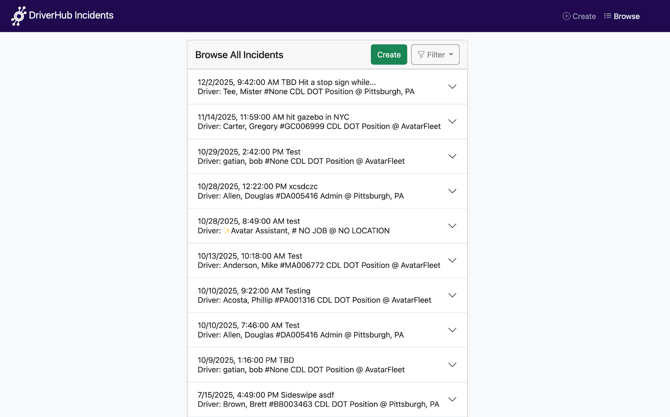
Create Incidents Via Mobile
Navigate to Incident Management mobile view via https://[YOUR_Company_URL].com/incidents
Advanced Analytics
Robust reports that highlight trends, costs, and high-risk areas to drive safety improvements.
Bulk Import
Upload historical incident data to preserve your records and enable trend analysis.
Incident Management Webinar
For more information about our Incident Management feature, check out our webinar!