
DriverHub’s text messaging feature allows users to send images and files directly to their profile. This is useful for updating records or providing required documentation, such as a driver’s license or medical card.
When a user sends a file, it is automatically added to the Files tab of their profile.
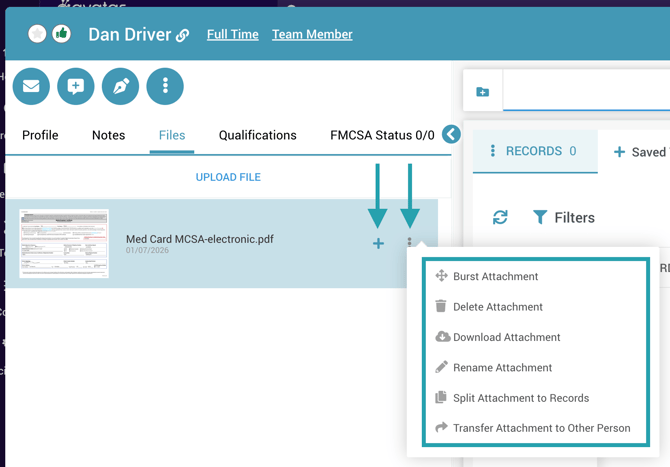
From the Files tab, you can:
-
Create a new record or update an existing one using the plus sign next to a file.
-
Complete a workflow task by dragging and dropping it onto the appropriate task.
- Use the three dots menu for more options like splitting the attachment, bursting the attachment, downloading the attachment, etc.
Please note: DriverHub supports receiving images and file attachments via text message; however, it does not support sending images or files outbound.