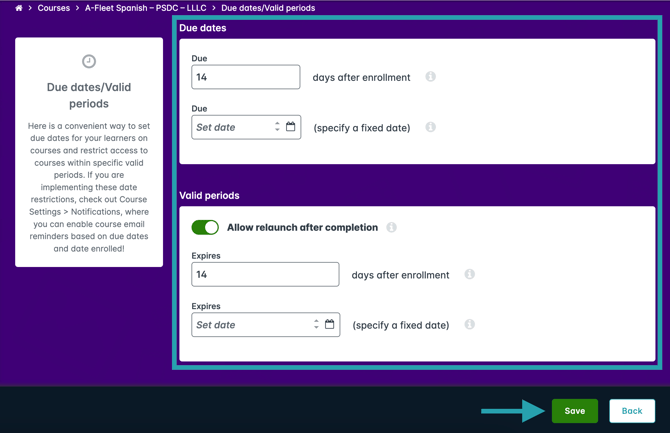
Training Marketplace allows administrators to control how long a learner has to complete a course. You can set a due date, a valid period, or both. These settings let you enforce deadlines such as 30 days after enrollment or a fixed calendar date.
How to Set an Expiration Date
-
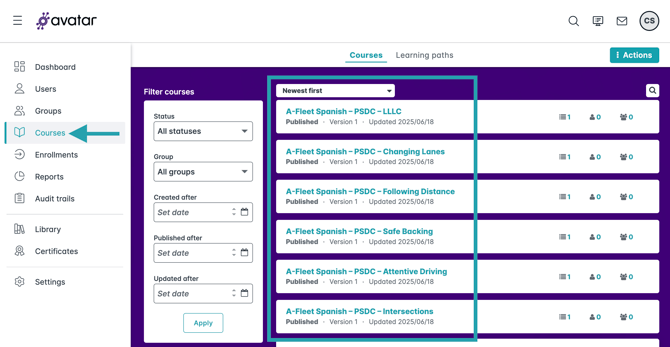
Click Courses in the primary navigation menu, then select the course you want to modify.
-
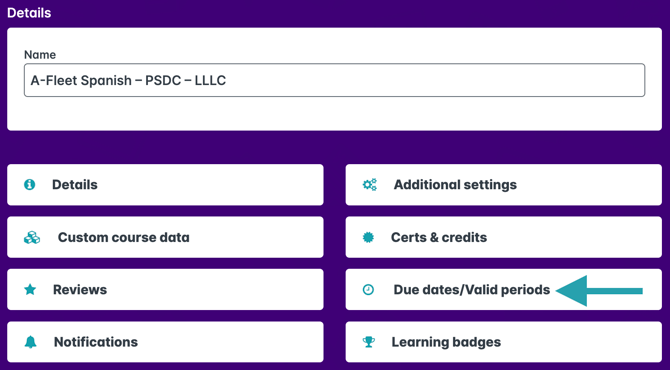
Click the Due dates/Valid periods section.
-
Configure due dates and valid periods as desired, then click Save. In the example below, the learner can access the course for 14 days after enrollment (valid period), the course completion is due within 14 days of enrollment (due date), and the learner can relaunch a course if they have already completed it within the valid period.